
Skip to content
    ego (lite) is just a browser, ego is your personal agent across devices.Join waitlist
    Pricing
    Features/Incidents

    From first signal to confirmed recovery.

    Bring provider incidents, your own monitor events, and community reports into one evidence trail with affected components and recovery context.
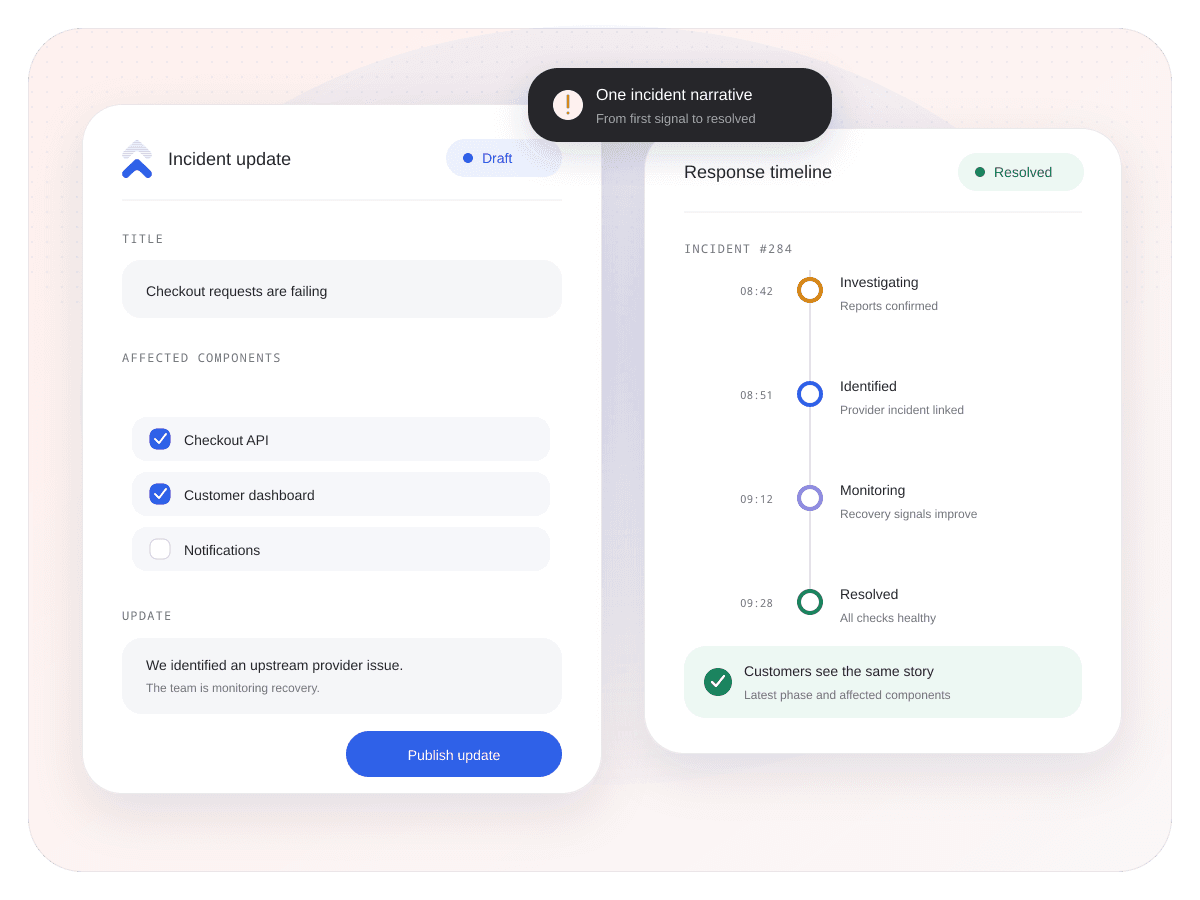
    Open workspace incidentsSee live incidents
    Uptimus incident command center with evidence, affected components, and recovery phases
    SignalsOne evidence trail

    Keep provider, monitor, and community context together.

    ImpactAffected components

    Show which parts of the product are involved.

    LifecycleThrough recovery

    Preserve every meaningful state transition.

    An incident is a story. Keep the evidence in order.

    Follow what Uptimus observed, what the provider published, what users reported, and how affected services returned to normal.

    Incident context

    Start with what happened, not who guessed first.

    Put provider updates, direct monitor failures, and community reports beside each other before drawing the incident conclusion.

    • Keep every signal labelled by its source.
    • Correlate only when sufficient evidence is available.
    • Attach the services and components that show impact.
    EVIDENCE Live context
    Continue through the product

    Status pages

    Publish incident updates customers can trust.

    Explore feature

    Fair questions. Straight answers.

    Provider status updates, Uptimus monitor events, and community reports can contribute context while remaining labelled by source.

    No. Uptimus is not an on-call assignment, runbook, or remediation system. It focuses on detection context, incident history, notifications, and customer communication.

    Yes. Provider components and your own monitored services can remain attached to the incident and its updates.

    Yes. When you use a status page, an approved recovery update can close the customer-facing incident timeline.

    Keep every signal connected until service is back.

    Give operations, support, and customers one incident history they can trust.

    Open workspace incidentsView all features
    Uptimus

    Service monitoring, provider intelligence, and customer incident communication in one place.

    View system status

    Product

    Use casesFeaturesComparePricing

    Monitoring

    Status pagesCloud monitoringWebsite monitoringStatus aggregationPing monitoringIncidents

    Resources

    BlogLive statuses

    Company

    SupportPrivacyTerms
    © 2026 Uptimus
    Monitor first. Communicate clearly.
    Checkout API disruptionUptimus operational view
    Uptimus checks6 regions affecteddown
    Official providerInvestigatingwarning
    CommunityReports risinginfo
    Likely upstream · evidence available Synced

    Affected services

    Explain the impact at component level.

    Connect each incident to the provider components or internal monitors involved, while leaving unrelated services visibly healthy.

    • Keep affected and healthy components distinguishable.
    • Show maintenance separately from an unplanned incident.
    • Preserve the component context through recovery.
    IMPACT VIEW Live context
    Payments workflowUptimus operational view
    Checkout APIAffecteddown
    Billing portalDegradedwarning
    Customer dashboardHealthyhealthy
    2 of 3 components affected Synced

    Recovery lifecycle

    Close the loop with the recovery attached.

    Keep investigation, monitoring, and recovery in one incident record so operations, support, and customers do not end with different answers.

    • Preserve the timestamp of every meaningful update.
    • Route clear incident and recovery notifications.
    • Publish an approved customer update when needed.
    INCIDENT TIMELINE Live context
    Payment requests failingUptimus operational view
    Signal confirmed18:04 UTC
    Provider investigating18:11 UTC
    Monitoring recovery18:37 UTC
    Recovered18:49 UTC
    Incident closed with evidence Synced