
Skip to content
    ego (lite) is just a browser, ego is your personal agent across devices.Join waitlist
    Pricing
    Features/Ping monitoring

    Is the host reachable? Ask from more than one place.

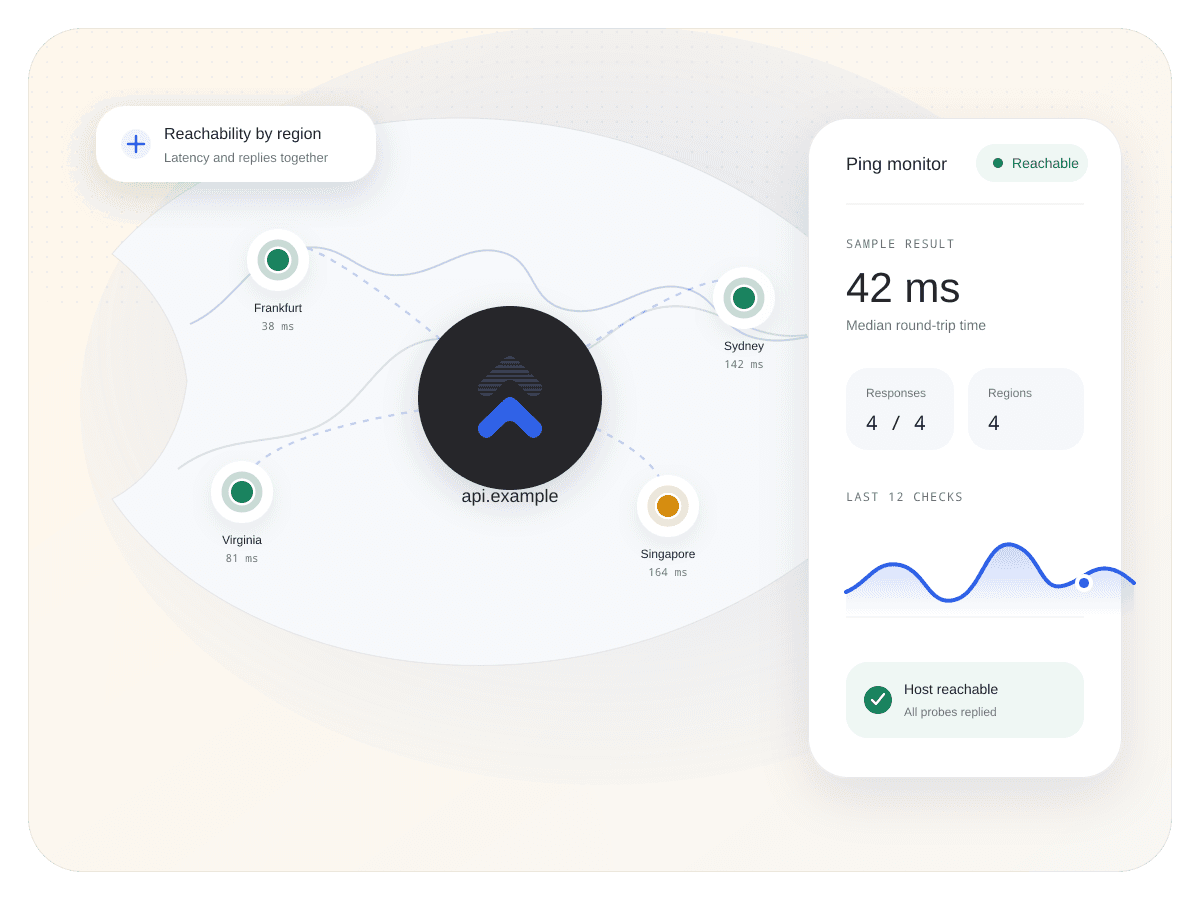
    Use regional ICMP checks to track reachability and round-trip latency, then record the path from failure to recovery.
    Add a ping monitorSee monitor types
    Uptimus ping monitor with regional probes, reachability, and round-trip latency
    SignalICMP reachability

    Know whether the host answers the probe.

    TimingRound-trip latency

    See how long a successful response takes.

    CoverageRegional checks

    Compare observations from more than one place.

    A small packet can answer a very useful first question.

    Check whether a host responds from the regions you choose and keep the observed latency beside every state change.

    Reachability

    Watch the host without pretending ping is everything.

    Use ICMP as a fast, focused availability signal for hosts that should respond. Keep application behavior with HTTP and API monitors.

    • Track reachable and unreachable state changes.
    • Configure the check cadence available to your plan.
    • Keep the target and observed result attached.
    PING MONITOR Live context
    Continue through the product

    Incidents

    Coordinate updates from first signal to recovery.

    Explore feature

    Fair questions. Straight answers.

    It checks ICMP reachability and records round-trip latency for successful responses from the configured locations.

    No. Those diagnostics are not part of this Uptimus feature, so the page intentionally does not promise them.

    Yes. Regional observations help distinguish one network path from a wider host reachability problem.

    No. Ping answers whether a host responds to ICMP. HTTP and API monitors validate the application response your users actually need.

    Ask whether the host answers. Keep the regional evidence.

    Add a focused reachability signal to the rest of your monitoring context.

    Add a ping monitorView all features
    Uptimus

    Service monitoring, provider intelligence, and customer incident communication in one place.

    View system status

    Product

    Use casesFeaturesComparePricing

    Monitoring

    Status pagesCloud monitoringWebsite monitoringStatus aggregationPing monitoringIncidents

    Resources

    BlogLive statuses

    Company

    SupportPrivacyTerms
    © 2026 Uptimus
    Monitor first. Communicate clearly.
    edge.example.netUptimus operational view
    Frankfurt21 mshealthy
    New York84 mshealthy
    SingaporeNo replydown
    Last check a few seconds ago Synced

    Regional latency

    Read the round trip in its location context.

    Compare successful response times by region so a distant slow path does not look the same as a host that stopped responding everywhere.

    • Review round-trip latency for successful probes.
    • See each region as its own observation.
    • Use HTTP or API monitors when you need application-level evidence.
    ROUND-TRIP LATENCY Live context
    Last regional responsesUptimus operational view
    Frankfurt21 mshealthy
    New York84 msinfo
    SingaporeTimeoutdown
    Three regional observations Synced

    Recovery history

    Know when the host starts answering again.

    Keep the transition from unreachable to stable in one history and route the recovery with the same context as the original alert.

    • Record failure and recovery as separate events.
    • Keep the region and observed latency attached.
    • Send a clear recovery notification.
    HOST HISTORY Live context
    edge.example.netUptimus operational view
    Probe failed03:18 UTC
    Second region failed03:20 UTC
    Replies resumed03:27 UTC
    Stable03:31 UTC
    Recovery notification delivered Synced