
Skip to content
    ego (lite) is just a browser, ego is your personal agent across devices.Join waitlist
    Pricing
    Features/Status pages

    Give every incident a trusted home.

    Publish a branded status page that keeps customers informed from the first update to resolution.
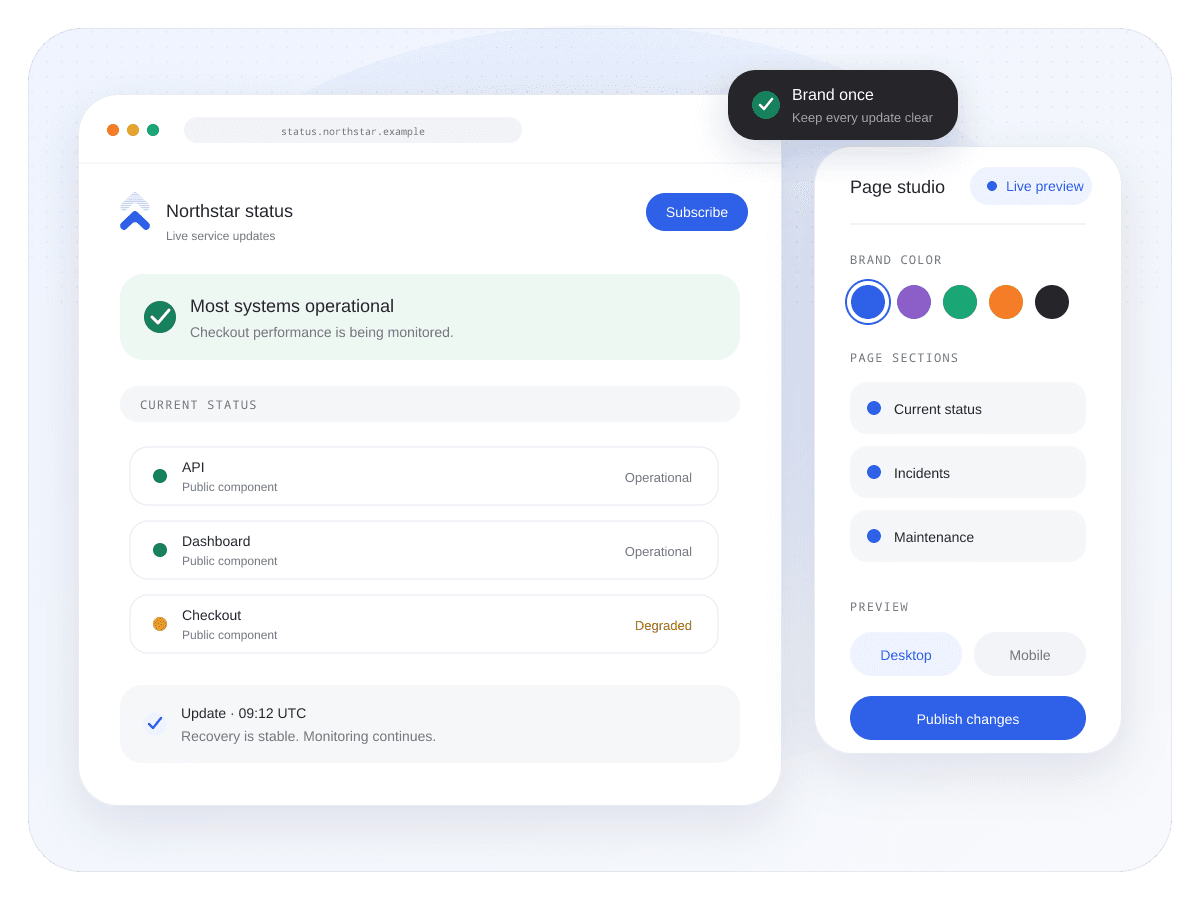
    Build your status pageOpen editor
    Uptimus public status page, mobile preview, and brand controls
    Source of truthOne public view

    Current health and incident history stay together.

    PublishingHuman approved

    Control what becomes a customer-facing update.

    IdentityYour brand

    Shape the page around the product it represents.

    Health updates that feel like part of your product.

    Bring monitor health, followed services, approved incidents, and maintenance into one calm place your customers recognize.

    Live service health

    Let the page answer before the ticket does.

    Show the current state of your own monitors and the providers your product depends on, without turning every signal into a public incident.

    • Keep operational, degraded, maintenance, and outage states distinct.
    • Organize services into components customers understand.
    • Preserve a clear history after recovery.
    PUBLIC STATUS Live context
    Continue through the product

    Cloud monitoring

    Follow the providers behind your product.

    Explore feature

    Fair questions. Straight answers.

    Yes. Logo, colors, page identity, and other branding controls are available in the status-page workspace. Some options, including domains and access controls, depend on the selected plan.

    No. Monitor health can inform the page, while customer-facing incident publication remains an intentional workflow you control.

    Yes. Maintenance stays separate from an unexpected outage so customers can understand what is planned and what is actively disrupted.

    Resolved updates remain connected to their incident timeline, giving visitors a clear record of what happened and when service recovered.

    Build trust with clear updates.

    Give customers one dependable place to understand service health.

    Build your status pageView all features
    Uptimus

    Service monitoring, provider intelligence, and customer incident communication in one place.

    View system status

    Product

    Use casesFeaturesComparePricing

    Monitoring

    Status pagesCloud monitoringWebsite monitoringStatus aggregationPing monitoringIncidents

    Resources

    BlogLive statuses

    Company

    SupportPrivacyTerms
    © 2026 Uptimus
    Monitor first. Communicate clearly.
    Northstar systemsUptimus operational view
    Checkout APIDegraded performancewarning
    Customer dashboardOperationalhealthy
    NotificationsOperationalhealthy
    Updated 2 minutes ago Synced

    Brand controls

    Make the source of truth look like yours.

    Use your logo, color, page identity, and—where the plan allows it—domain and access controls, while Uptimus keeps the operating model consistent.

    • Preview changes before they reach customers.
    • Keep desktop and mobile presentation aligned.
    • Add the access options your audience needs.
    BRAND PREVIEW Live context
    A page that belongs to NorthstarUptimus operational view
    Primary colorCobaltinfo
    Custom domainPlan dependentwarning
    Mobile previewReadyhealthy
    Preview saved Synced

    Incident lifecycle

    Write the next update from the same timeline.

    Move an approved incident through clear phases and keep every customer-facing message connected to the affected components.

    • Publish investigating, identified, monitoring, and resolved updates.
    • Keep timestamps and affected services attached.
    • Close the loop with a visible recovery state.
    INCIDENT #284 Live context
    Checkout API latencyUptimus operational view
    Investigating11:32 UTC
    Identified11:48 UTC
    Monitoring12:07 UTC
    Resolved12:34 UTC
    Customer page updated Synced